Icon of program: MSWLogo

MSWLogo for Windows

Free Download for Windows

View an ad to download for free

Cathy Buggs

Updated 2 months ago

A free logo programming environment

MSWLogo is a free logo-based programming language environment originally rooted in LISP and intended for educational purposes. It has been widely recognized as a teaching tool, helping users understand fundamental programming concepts through simple commands, graphical outputs, and interactive learning experiences suited for beginners. 

Top Recommended Alternative
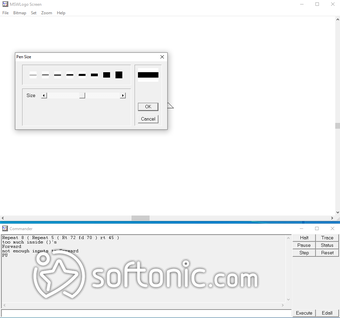
As a lightweight and accessible platform, MSWLogo offers a straightforward way to explore programming logic without overwhelming complexity. The design of this software emphasizes ease of use, making it particularly appealing for students and hobbyists who want to experiment with coding concepts in a visual and engaging manner. 

What is the use of MSWLogo? 

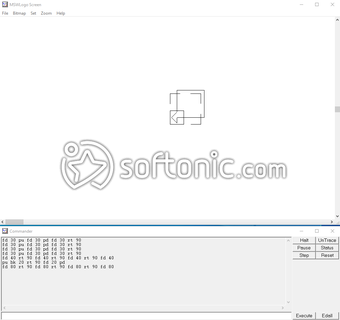
MSWLogo is ideal for creating simple programs, small games, and basic graphical projects within a PC environment. This logo-making software serves as a convenient introduction to programming, especially for beginners. The platform is easy to grasp for any type of user while remaining engaging, as it allows users to create shapes, patterns, and interactive visuals using simple commands and logical structures

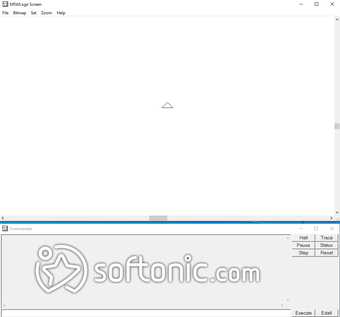
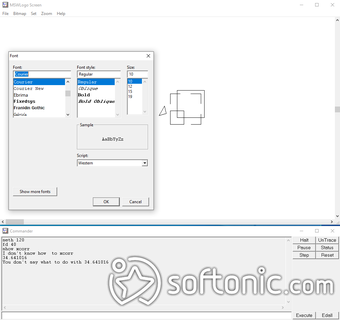
Moreover, this programming language’s user interface is minimalistic and straightforward, resembling older programming environments that prioritize function over design. This simplicity reduces the learning curve, especially for users with prior exposure to basic programming tools. Additionally, a variety of tutorials and guides are available, enabling users to quickly learn how to construct shapes, write commands, and understand core programming principles. 

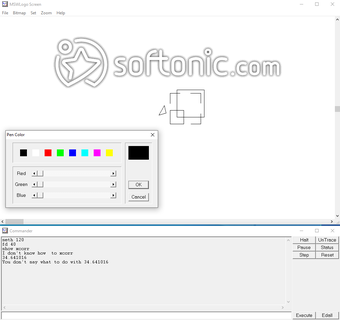
The software also supports multiple turtles and basic 3D graphics, expanding its creative possibilities beyond simple drawings. Installation is quick and does not require complex configuration, allowing users to start coding almost immediately. Language support options further enhance accessibility, making it usable for a wider range of learners interested in exploring logo-based programming. However, it remains limited in scope compared to the modern programming environment. 

Intuitive but, extremely limited

MSWLogo is a great way for beginners and kids to get started in Logo-based programming. It is highly intuitive mainly because of its simple user interface that allows you to explore and perform tasks in no time. However, if you are already an expert in this field, this will be a very limited tool for you, as it doesn't allow you to go very far and do more progressive programming activities.


Cathy Buggs

With decades of experience in IT management and later as a writer and tutor, she combines technical knowledge with a passion for clear communication. His work spans editing, teaching, and writing, bringing authority and precision to content on technology and related fields.

  • Pros

    • Easy to learn and use
    • Very simple and straightforward interface
    • Lots of help material
  • Cons

    • Very limited usefulness
 0/5

App specs

  • License

    Free

  • Version

    6.5b

  • Latest update

  • Platform

    Windows

  • OS

    Windows 95

  • Language

    English

    Available languages

    • English
    • Spanish
    • German
    • French
    • Italian
    • Russian
    • Portuguese
    • Dutch
    • Polish
    • Chinese
    • Turkish
    • Arabic
    • Czech
    • Korean
    • Greek
    • Hindi
    • Japanese
    • Danish
    • Finnish
    • Norwegian
    • Swedish
  • Downloads

    3.1M

    Last month's downloads

    • 9.6K
  • Size

    1.78 MB

  • Developer

Program available in other languages


Icon of program: MSWLogo

MSWLogo for PC

Free Download for PC

View an ad to download for free


User reviews about MSWLogo

3.8

19 reviews

Add review

Main reviews for you

  • Anonymous user

    Its nice and teaches more on basic computer skills.it makes arithmetic operations very easy from the look of things. However,i hope to find out more when i start using it

  • Anonymous user

    Best practical for kids.I love this app.I have done many things to the turtle.

  • Anonymous user

    Its very user friendly and steps or commands are very easy for childrend to understand, code and execute.

  • Anonymous user

    Great way to introduce geometry and also (indirectly) proofs. Writing a program is a lot like writing a proof, but with logo you get an immediate feedback whether you wrote it correctly or not.

  • Anonymous user

    I like it it is an app that facilitate the life of all people

  • Anonymous user

    Its good for a beginner like me...thanks MSW. Hope in future u add more and more features to the programming.

More

You may also like

Alternatives to MSWLogo

Explore Apps

Latest articles

Laws concerning the use of this software vary from country to country. We do not encourage or condone the use of this program if it is in violation of these laws.
Softonic

Is MSWLogo safe?

100/100

Score result: Clean

This file passed a comprehensive security scan using VirusTotal technology. It is safe to download.

  • Virus free
  • Spyware free
  • Malware free
  • Verified by Security Partners

    VirusTotal logo

Scan Info

Last scan
Friday, January 5, 2024
Scan provider
VirusTotal · Full report

File Integrity

File
mswlogo65.exe
SHA256
c2cbf5a485f8df927a63b0480508a534bcdc905ee317f4ed993e8e1927212d9a
SHA1
a0ab2e7ef7df05d2dcba481af1a7c2803f163f2d

Softonic security commitment

MSWLogo has been thoroughly scanned by our advanced security systems and verified by industry-leading partners. This file comes from the official developer and has passed all our security checks, showing no signs of viruses, malware, or spyware. For more information, visit our Security and Trust Center